What it does
claimClaim the board from a browser with an SSH public key; SSH is key-only from then ongatewaySilt Gateway: join a tailnet and choose what this board shares, from a browsertailscaletailscaled, joined at boot, optionally routing its LAN
Raspberry Pi 5: flashing and first boot
You need: a microSD card (1 GB or larger), a card reader, Ethernet, and the official 27 W USB-C power supply. Optional: a micro-HDMI cable for a screen, and a Raspberry Pi Debug Probe for the serial console.
1. Check the download. Compare its SHA-256 with the one on this page:
shasum -a 256 sdcard.img        # macOS
sha256sum sdcard.img            # Linux
2. Write it to the card. This erases the card. Find the card's device first and make sure it is the card, not a disk you need.
# macOS: find the card (e.g. /dev/disk6), then
diskutil list external
diskutil unmountDisk /dev/diskN
sudo dd if=sdcard.img of=/dev/rdiskN bs=4m && sync
diskutil eject /dev/diskN

# Linux: find the card (e.g. /dev/sdX), then
lsblk
sudo dd if=sdcard.img of=/dev/sdX bs=4M conv=fsync status=progress
Raspberry Pi Imager works too: choose Use custom and pick sdcard.img.
3. Boot. Insert the card, connect Ethernet, then power. The board asks your network for an address (DHCP) as it starts.
4. Find it. Your router's client list shows it, or scan your network:
sudo nmap -sn 192.168.1.0/24 | grep -B2 -i 'raspberry'Serial console. The Pi 5 has a 3-pin UART connector between its two micro-HDMI ports. Connect a Raspberry Pi Debug Probe there and open it at 115200 baud (picocom -b 115200 /dev/ttyACM0, or /dev/cu.usbmodem* on a Mac). Kernel messages and a login prompt appear there.
# claim: claim a fresh board from a browser
A board built with feature:claim boots with nobody's key on it and no way in over the network. Its claim page, on port 8022, takes your SSH public key once:
boot ─▶ S49silt-claim prints   Claim page: OK, claim this board at:
                                 http://192.168.68.140:8022/  (eth0)
open it ─▶ paste ~/.ssh/id_ed25519.pub ─▶ Claim
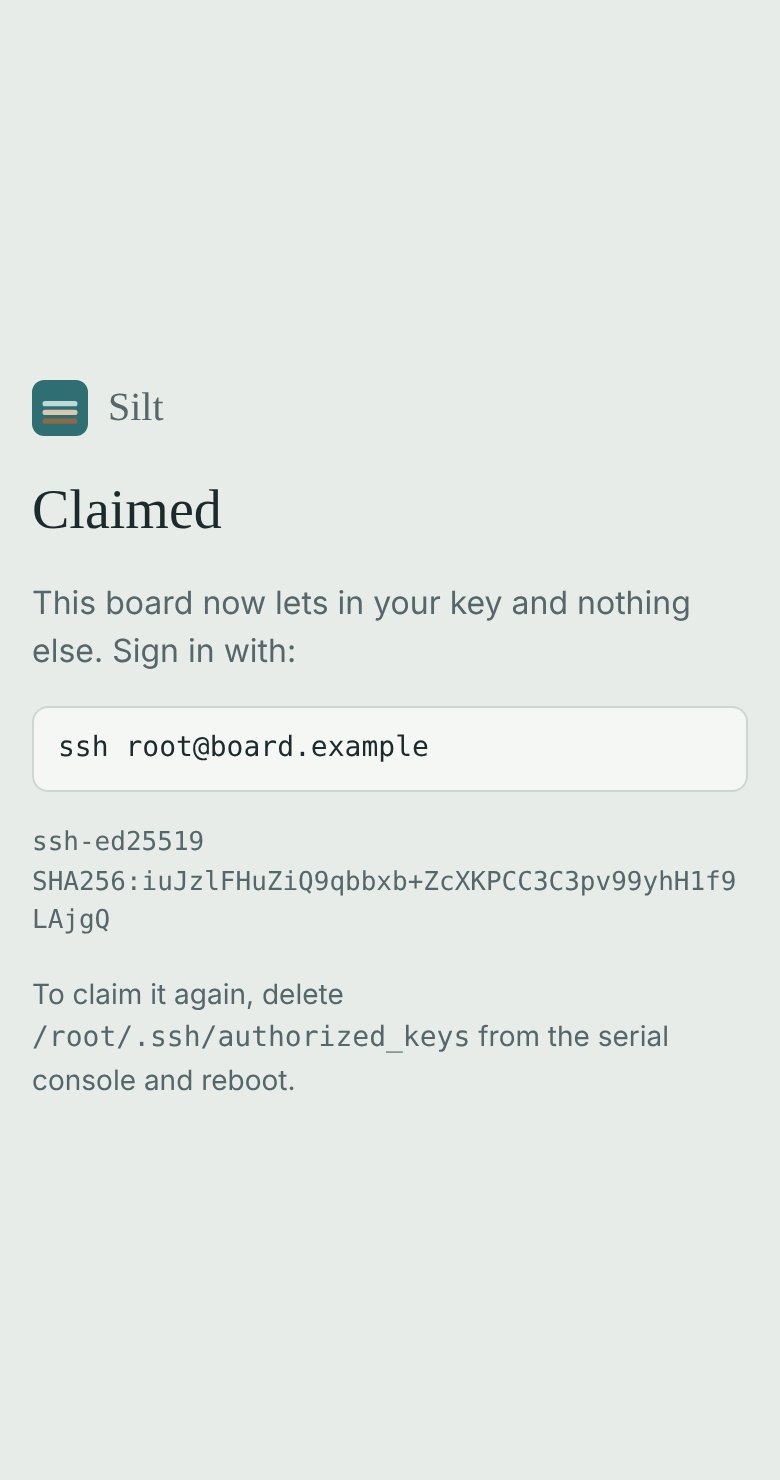
        ─▶ /root/.ssh/authorized_keys written, the page stops
ssh root@192.168.68.140   ← your key, and only your key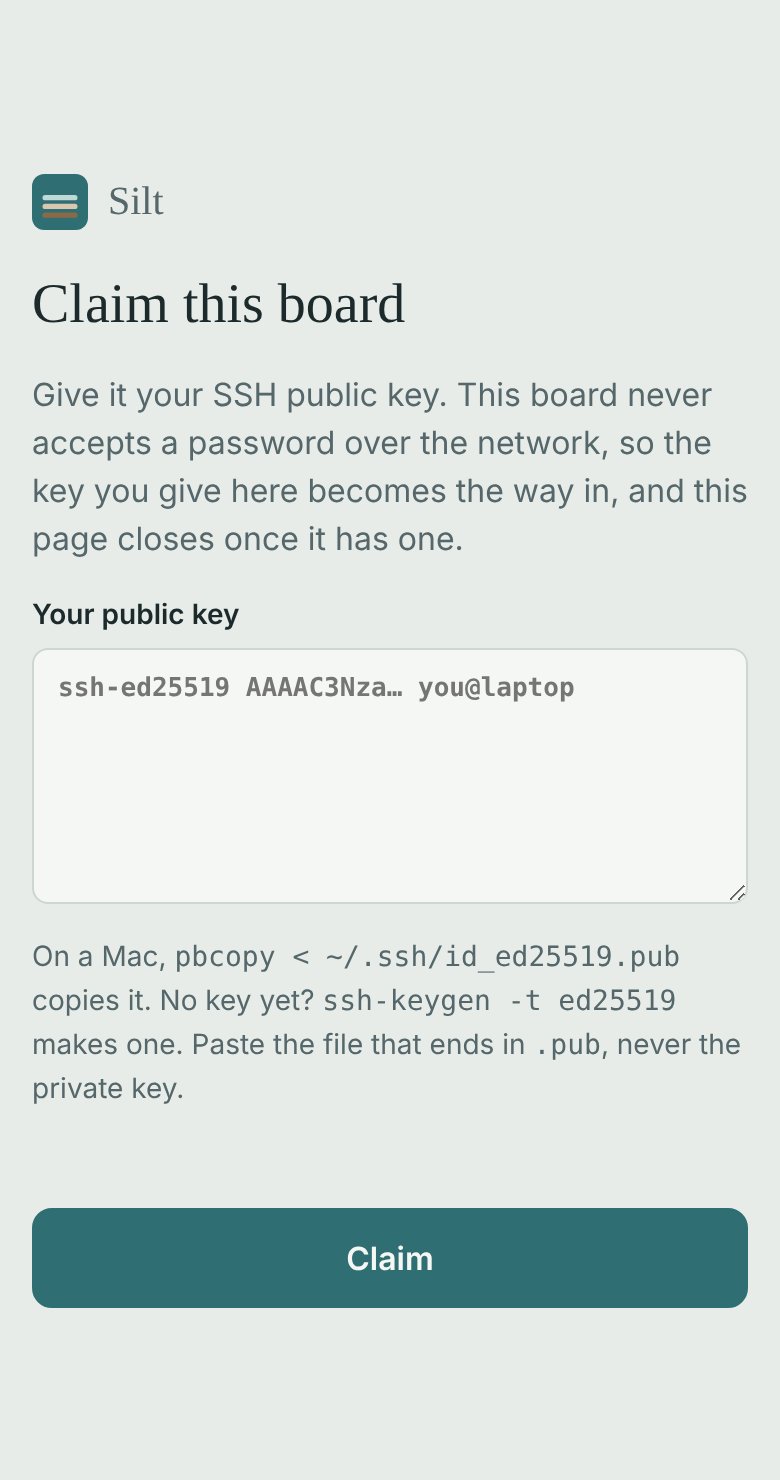
- SSH never takes a password. dropbear runs with
-s(/etc/default/dropbear), root's included, so before the claim nobody gets in over the network and after it only the key given on the page does. - The first visitor claims the board, as the first visitor chooses Silt Gateway's password. That is a choice for a bench or a home network.
- The serial console still logs in. Whoever holds the board owns it, and the console is the way back for an owner who loses the key: delete
/root/.ssh/authorized_keysand reboot, and the page is back. - Port 8022, not 80, so the page sits beside an image's own page (Silt Gateway's is on 80) without either knowing about the other.
- Nothing is baked in. Every board flashed from one image starts the same; the key is the board's, not the image's.
dev-sshbakes a key in at build time instead. Use one or the other.
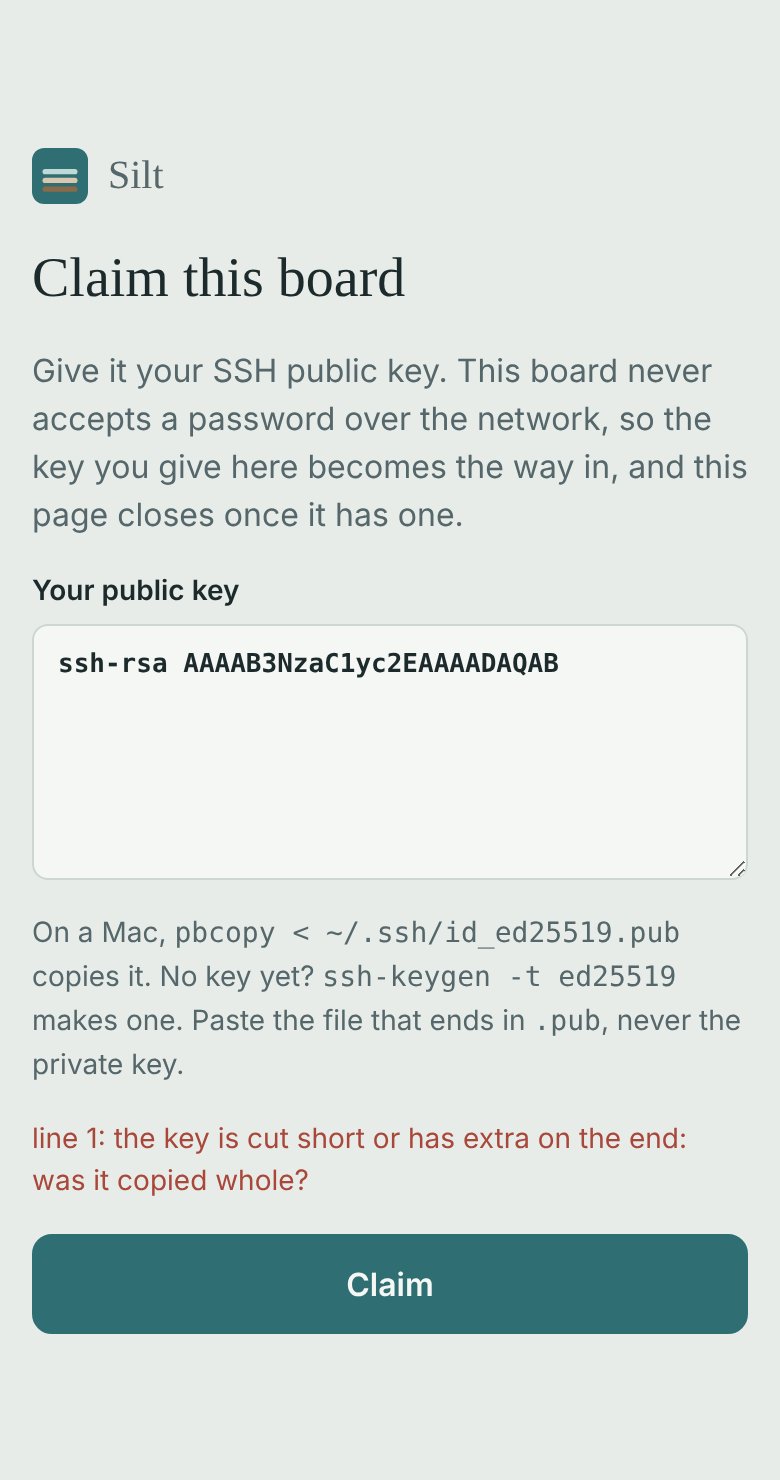
The page checks a key the way dropbear will read it (its type, and every field its blob should hold) and shows its SHA256 fingerprint, as ssh-keygen -lf ~/.ssh/id_ed25519.pub prints it, so you can see it is yours. A pasted private key is refused with a reason.
On an A/B board
An update replaces the root filesystem, and the key with it, which would open a claimed board to claiming again. The ab pack keeps root's keys on the data partition (/root/.ssh links to /data/ssh), so a board is claimed once and stays claimed through every update.
Adding it to an image
One word in the image's compose:
(compose image:pi5-tailscale feature:gateway feature:claim)silt-claimd is standard-library Go, like silt-gatewayd: nothing to fetch at build time.
The screenshots
screens/shoot.mjs takes them from the real silt-claimd with a key made and thrown away on the spot (npm i playwright@1.48.2 && node shoot.mjs in screens/). Retake them when the page changes.
# gateway: Silt Gateway
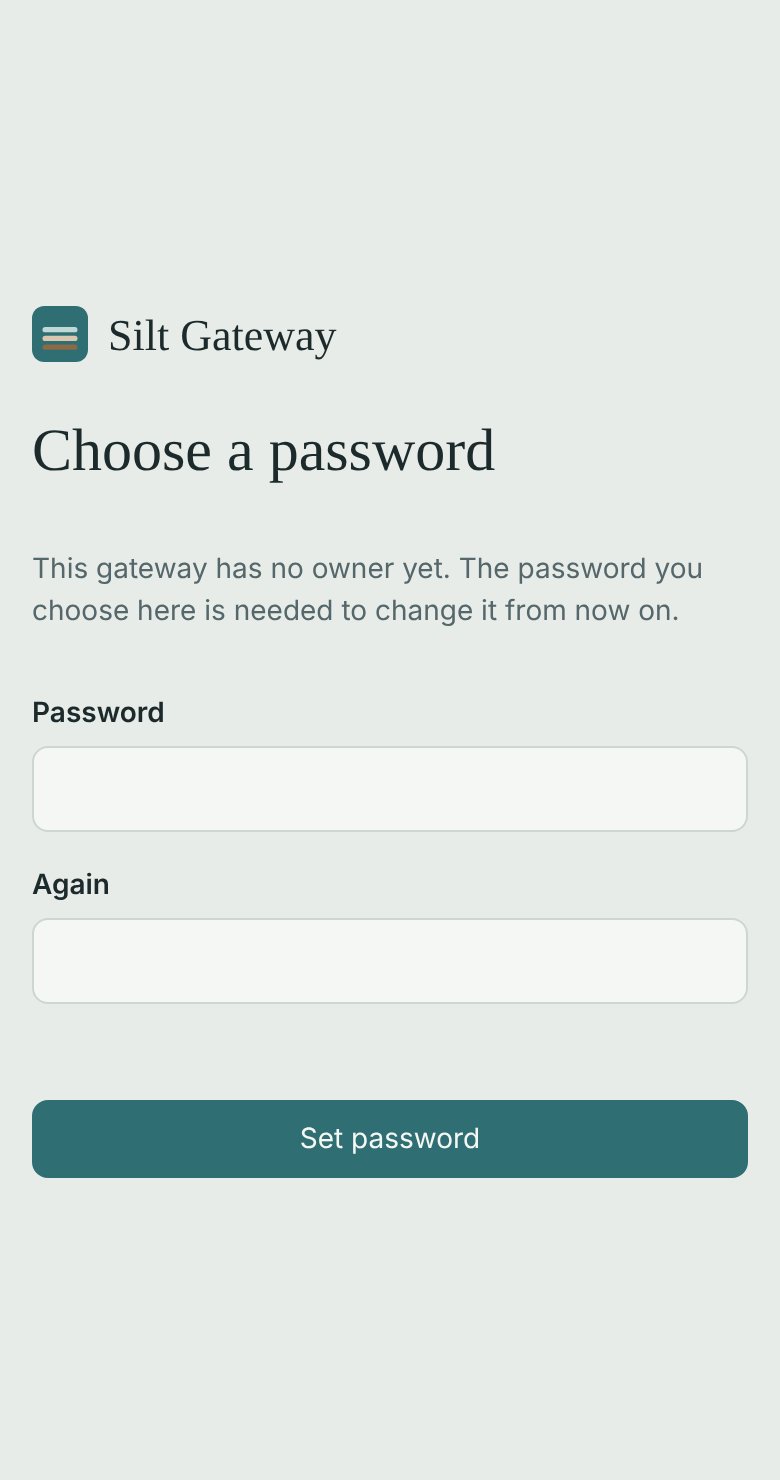
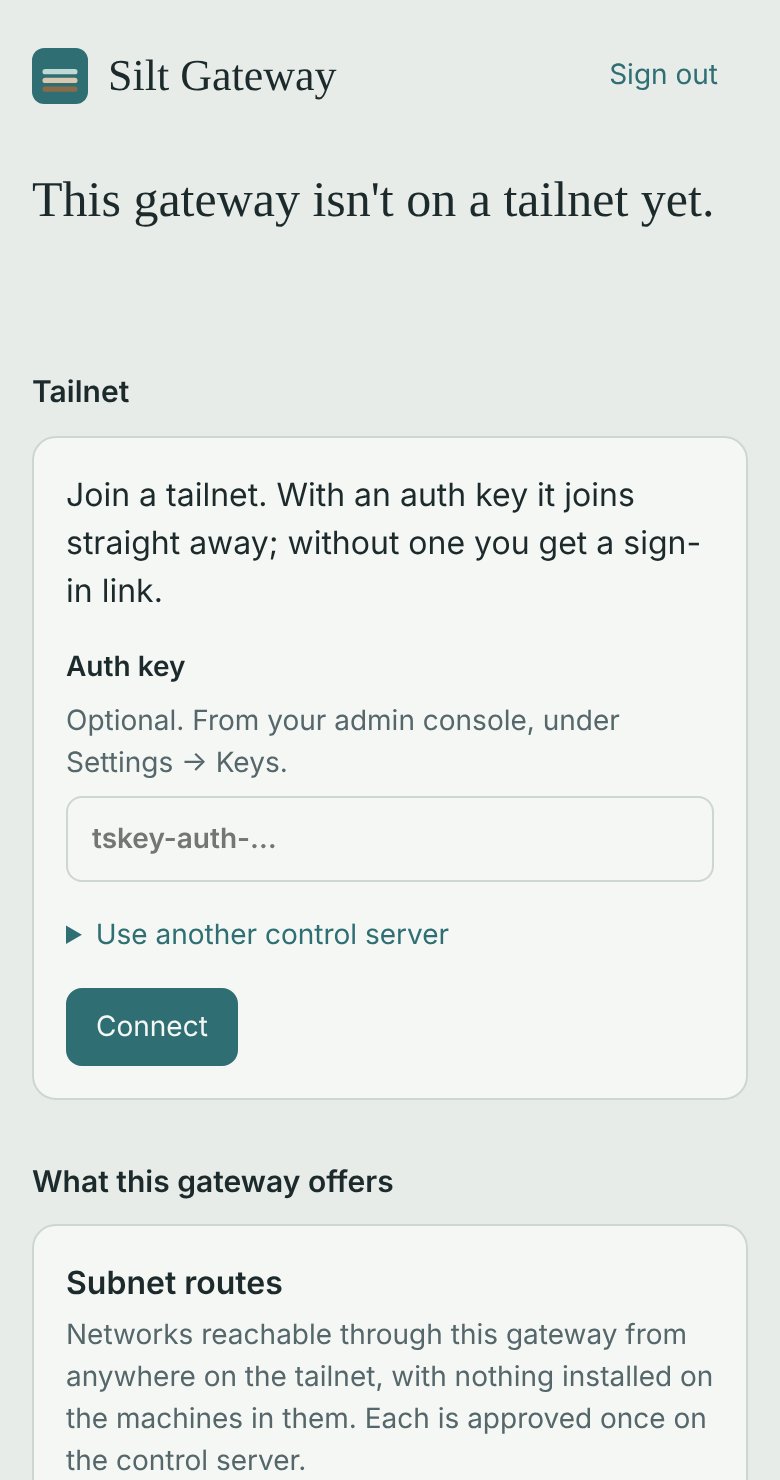
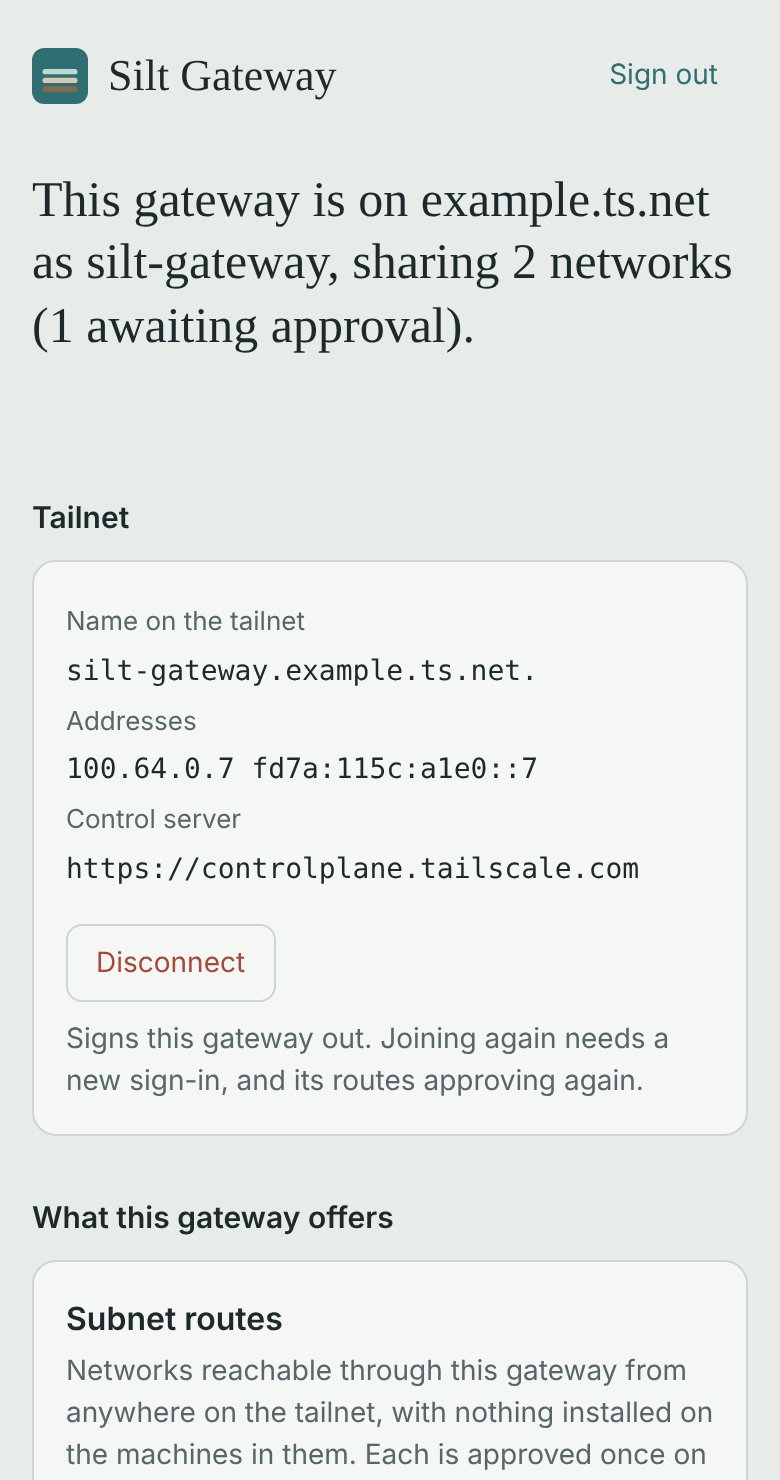
A board that joins a tailnet and shares its network, set up from a browser. Plug it in, open http://<board>/, choose a password, and join: with an auth key, or by following a sign-in link. On Tailscale's coordination server, or on your own (Headscale), by giving its URL. Then choose what the board offers:
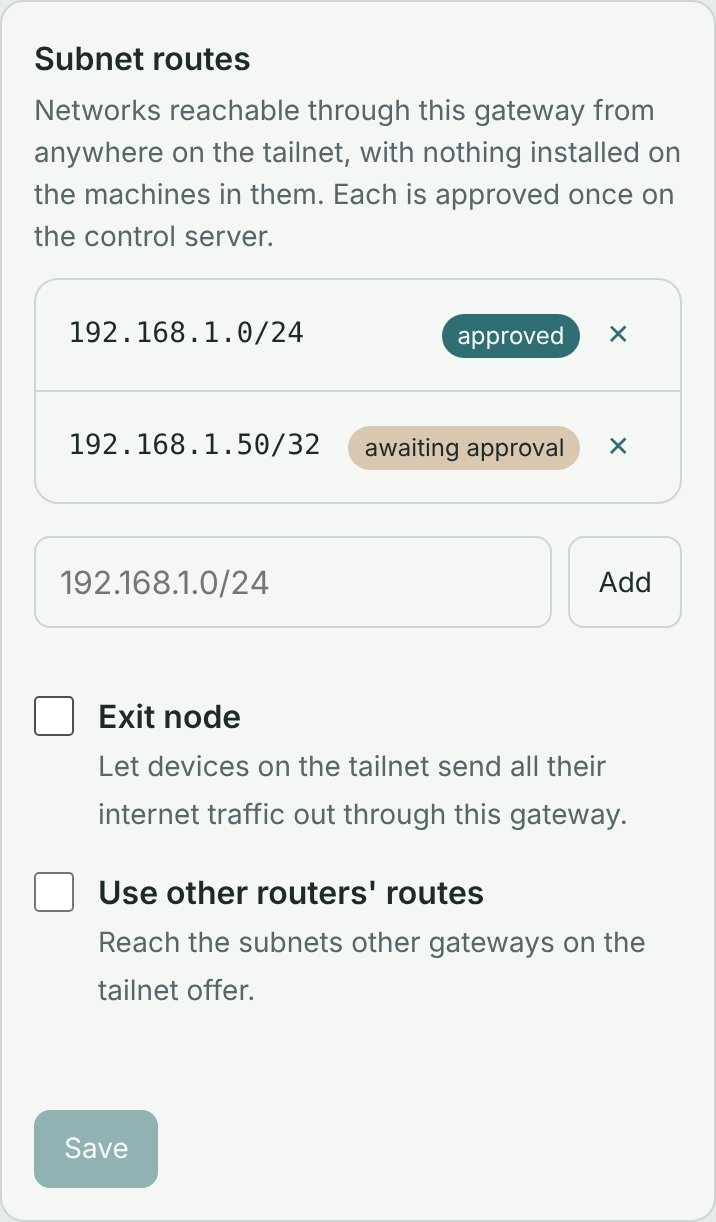
- subnet routes: the networks it is on, reachable from anywhere on the tailnet with nothing installed on the machines in them;
- the exit node: devices on the tailnet send their internet traffic out through this board;
- other routers' routes: whether this board reaches what other gateways share.
Each route shows whether the control server has approved it yet.
How it fits
image:pi*-tailscale  ── feature:tailscale  tailscaled, its init script, CA certs,
                                           a clock, TUN and NAT in the kernel
feature:gateway      ── silt-gatewayd      this page, on :80
feature:claim        ── silt-claimd        SSH key-only; the owner's key from a page on :8022
silt-gatewayd keeps no Tailscale state. tailscaled's state file holds the node key, the control server and the routes; the page reads them with tailscale status --json and tailscale debug prefs on every request and changes them with tailscale login and tailscale set, so nothing can drift. The only thing it keeps is the owner's password, as a PBKDF2 hash in /var/lib/silt-gateway/password.
The kernel's forwarding is switched on whenever tailscaled holds a route or the exit node (and after a reboot, from what tailscaled holds), never off.
Images
| image | what |
|---|---|
pi5-silt-gateway | image:pi5-tailscale + feature:gateway + feature:claim |
cm5-io-silt-gateway | image:cm5-io-tailscale + feature:gateway: a Compute Module 5 (eMMC) on its IO Board |
pi3-silt-gateway | image:pi3-tailscale + feature:gateway + feature:claim: a Raspberry Pi 3 Model B |
qemu-silt-gateway | image:qemu-aarch64 + feature:tailscale + feature:gateway + feature:claim: the same gateway, no board needed |
Trying it in QEMU
Build it like any image; the output has Image, rootfs.ext4 and Buildroot's own start-qemu.sh:
# on the build machine (once: sudo apt install qemu-system-arm)
kconf build qemu-silt-gateway -o out/qemu-silt-gateway
cd out/qemu-silt-gateway/images
./start-qemu.sh --use-system-qemu -m 1024 -monitor unix:/tmp/gw-qemu.sock,server,nowait
The guest's network is QEMU's user network (eth0), which reaches the internet but takes no connections. Forward the page to the build machine from another shell, through QEMU's monitor:
echo "hostfwd_add eth0 tcp:127.0.0.1:8080-:80" | nc -NU /tmp/gw-qemu.sock
echo "hostfwd_add eth0 tcp:127.0.0.1:8022-:8022" | nc -NU /tmp/gw-qemu.sock   # claim page
echo "hostfwd_add eth0 tcp:127.0.0.1:2222-:22" | nc -NU /tmp/gw-qemu.sock     # ssh, once claimed
and from your own machine, ssh -L 8080:127.0.0.1:8080 to the build machine and open http://localhost:8080/. Joining works as on a board; routes to the QEMU user network (10.0.2.0/24) are suggested, which is enough to see approval work.
Security
- The first visitor chooses the password, as with most home appliances: set it before putting the board on a network you don't trust. The same holds for the SSH key on the claim page (
feature:claim, seeclaim/README.md). - Sessions are an HttpOnly, SameSite=Strict cookie; every change is a JSON request, which a page on another site can't send with it.
- Five wrong passwords in a minute lock sign-in for the rest of that minute.
- To reset a forgotten password, delete
/var/lib/silt-gateway/passwordon the board (serial console) and reload the page.
Name
"Silt Gateway" is a working name. Tailscale is a trademark of Tailscale Inc.; this product uses the open-source Tailscale client and is not affiliated with it. Check its terms before selling a device built on it.
Development
cd br2-external/package/silt-gateway/src
go test ./...
go run ./cmd/silt-gatewayd -http 127.0.0.1:8080 -data /tmp/gw \
  -tailscale "$(command -v tailscale)" -socket /var/run/tailscale/tailscaled.sock
The tests read internal/tailnet/testdata, captured from tailscale 1.78.1 (the version Buildroot 2025.02.16 ships).
The screenshots
screens/shoot.mjs takes them from the real page, served by silt-gateway-demo over a stand-in for tailscaled on an example tailnet (npm i playwright@1.48.2 && node shoot.mjs in screens/). The demo is not part of the image: the package builds ./cmd/silt-gatewayd only.
On the board
Every file below is checked in the built image before it is released.
- /etc/default/dropbear
- /etc/default/tailscale
- /etc/init.d/S49silt-claim
- /etc/init.d/S50dropbear
- /etc/init.d/S95tailscale
- /etc/init.d/S96silt-gateway
- /usr/bin/silt-claimd
- /usr/bin/silt-gatewayd
- /usr/bin/tailscale
- /usr/sbin/tailscaled
Kernel
Stated by this image and checked in the kernel that was built.
CONFIG_EXT4_FS=y
CONFIG_NETFILTER=y
CONFIG_NFT_MASQ=m
CONFIG_NFT_NAT=m
CONFIG_NF_CONNTRACK=m
CONFIG_NF_NAT=m
CONFIG_NF_TABLES=m
CONFIG_NF_TABLES_IPV4=y
CONFIG_NF_TABLES_IPV6=y
CONFIG_TUN=m
Hardware it can use
Read from the board's own device tree.
| csi-camera | devicetree:bcm2712-rpi-5-b at /axi/pcie@1000120000/rp1/csi@110000 |
| mmu | soc:bcm2712 |
| nvme | devicetree:bcm2712-rpi-5-b at /axi/pcie@1000120000 |
| sdcard | devicetree:bcm2712-rpi-5-b at /axi/mmc@1100000 |
| serial-console | devicetree:bcm2712-rpi-5-b at /soc@107c000000/serial@7d001000 |
| wifi-sdio | devicetree:bcm2712-rpi-5-b at /axi/mmc@1100000/wifi@1 |
What's in the image
Measured from the image file.
pi5-silt-gateway.img                                   288.0 MB
├── p1 vfat                            █                32.0 MB
│   ├── /Image                         ██████████       24.7 MB
│   ├── /overlays                      ▏                 733 KB
│   ├── /bcm2712d0-rpi-5-b.dtb         ▏                  76 KB
│   ├── /bcm2712-rpi-5-b.dtb           ▏                  76 KB
│   ├── /config.txt                    ▏                  548 B
│   └── /cmdline.txt                   ▏                   66 B
└── p2 ext4                            ████████████    256.0 MB
    ├── /usr                           ██               51.2 MB
    │   ├── /usr/bin                   ████████████     47.5 MB
    │   ├── /usr/lib                   ▏                 2.8 MB
    │   └── /usr/lib64                 ▏                 2.8 MB
    ├── /lib                           █                26.7 MB
    ├── /lib64                         █                26.7 MB
    ├── /bin                           ▏                 802 KB
    ├── /linuxrc                       ▏                 802 KB
    └── /etc                           ▏                 249 KB
Check it yourself
Everything here was read from the image file, and each line has the command that shows it to you. The commands need a few Linux tools; on a Mac, run them in a container:
docker run --rm -it -v "$PWD":/w -w /w debian:bookworm sh -c 'apt-get update -qq && apt-get install -y -qq fdisk e2fsprogs mtools binutils device-tree-compiler checksec >/dev/null && exec bash'Disk
sha256sum pi5-silt-gateway.imgsfdisk -d pi5-silt-gateway.img | grep '^label'sfdisk -d pi5-silt-gateway.imgdd if=pi5-silt-gateway.img of=p1.img bs=512 skip=1 count=65536 status=none && mkdir -p p1 && mcopy -s -n -i p1.img '::*' p1/dd if=pi5-silt-gateway.img of=p2.img bs=512 skip=65537 count=524288 status=none && mkdir -p p2 && debugfs -R 'rdump / p2' p2.imgBoot
grep -v -e '^#' -e '^$' p1/config.txtstrings p1/Image | grep -m1 'Linux version'ls p2/lib/modules && find p2/lib/modules -name '*.ko*' | wc -ldtc -q -I dtb -O dts p1//*.dtb | grep -m2 -E 'model|compatible'System
cat p2/etc/os-releasels p2/etc/init.dgrep getty p2/etc/inittabLogin
grep '^root:' p2/etc/shadowcat p2/etc/default/dropbeargrep -v -E ':(/usr)?/s?bin/(nologin|false)$' p2/etc/passwdPrograms
for d in p2/bin p2/sbin p2/usr/bin p2/usr/sbin; do checksec --dir=$d; donefind p2/bin p2/sbin p2/usr/bin p2/usr/sbin -maxdepth 1 -type f -exec readelf -l {} + 2>/dev/null | grep -o 'interpreter: [^]]*' | sort | uniq -c; ls -l p2/lib/ld-linux-aarch64.so.1find p2/bin p2/sbin p2/usr/bin p2/usr/sbin -maxdepth 1 -type f -exec readelf -d {} + 2>/dev/null | sed -n 's/.*Shared library: \[\(.*\)\]/\1/p' | sort -u | while read l; do ls -d p2/lib/$l p2/usr/lib/$l p2/lib64/$l p2/usr/lib64/$l 2>/dev/null || echo "missing: $l"; done